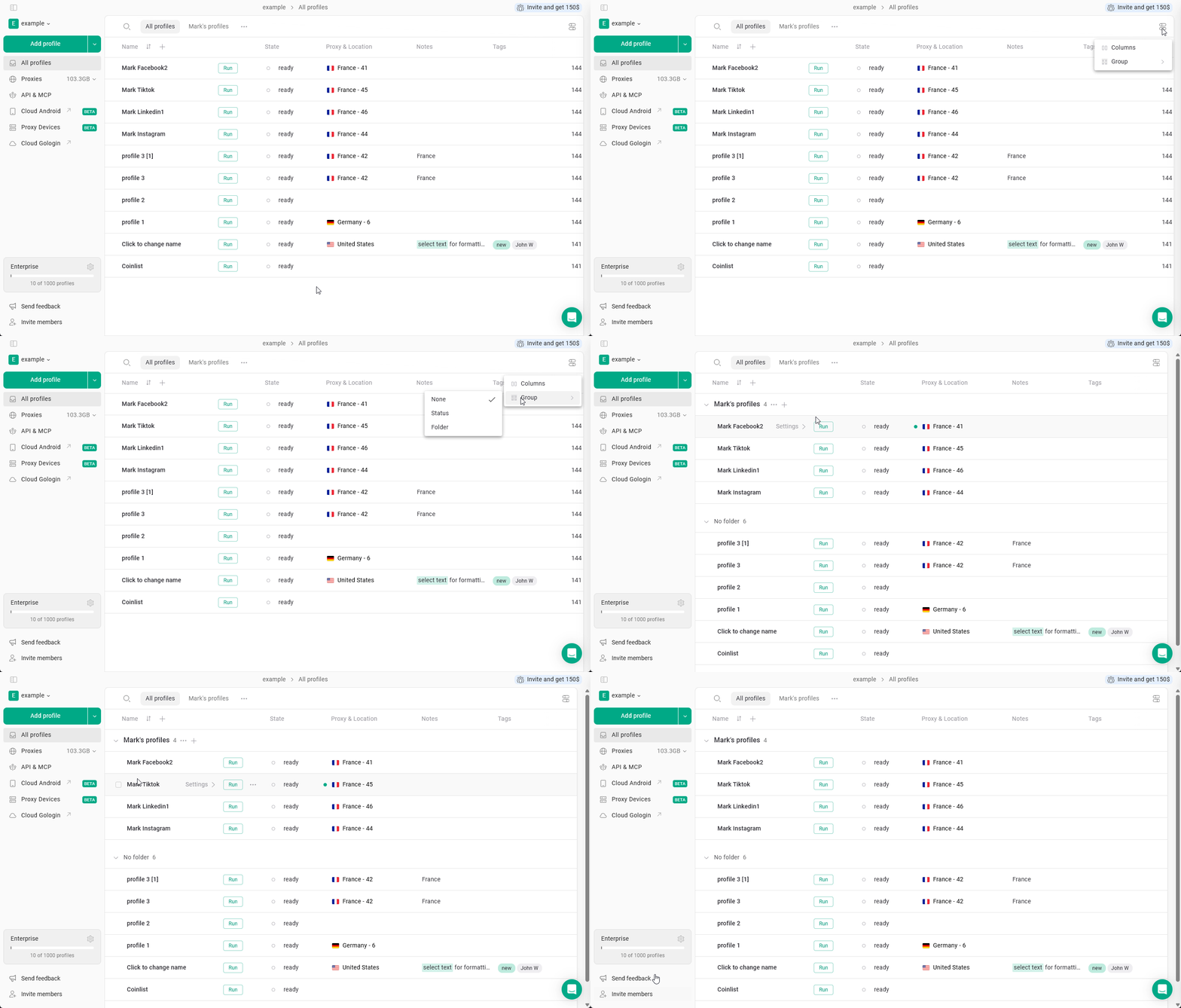
Profiles can also be grouped directly in the All profiles table.Grouping allows you to organize profiles visually based on certain parameters.To enable grouping:
Click the settings icon in the table header.
Select Group.
Choose the parameter to group profiles by.
Profiles can be grouped by status or folderThis helps organize large profile lists and makes it easier to review profile states.