Why Human Typing is useful
Human typing simulation can help when interacting with websites that monitor user behavior, such as:- social media platforms
- marketplaces
- advertising platforms
- services with anti-fraud systems
How it works in Gologin
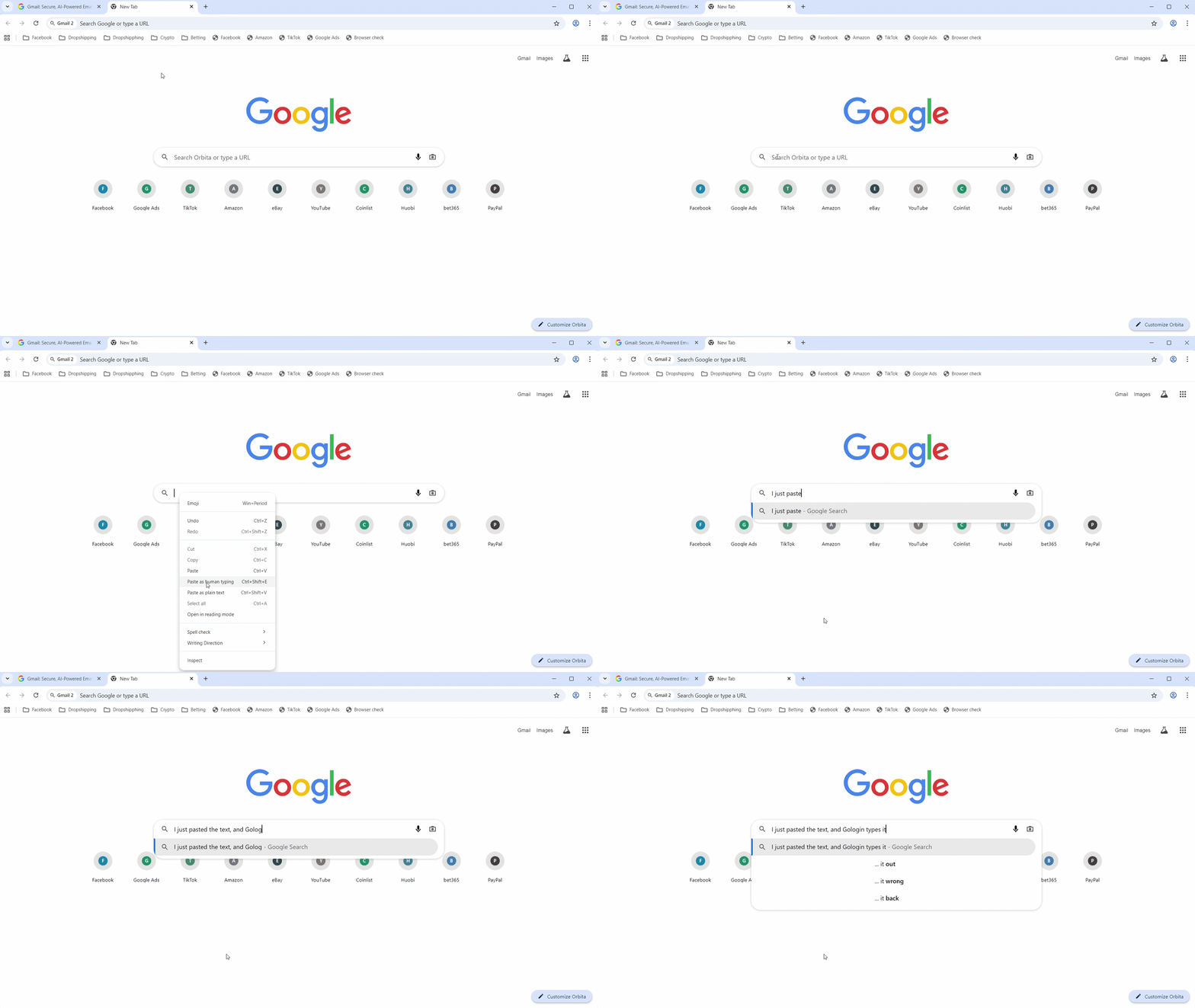
When Human Typing Simulation is active:- pasted text is entered gradually
- characters appear with small delays
- typing behavior looks closer to real user input
How to use Human Typing
- Open a browser profile
- Copy text from anywhere
- In any text field inside a browser profile
- right-click on the text field and choose Paste as human typing
- or use the Ctrl+Shift+E hotkey combination