

Who can use it
Cloud Android is free for all paid Gologin plans. Users on the free trial can also use it during the trial if they registered with Google.Creating and running a Cloud Android profile
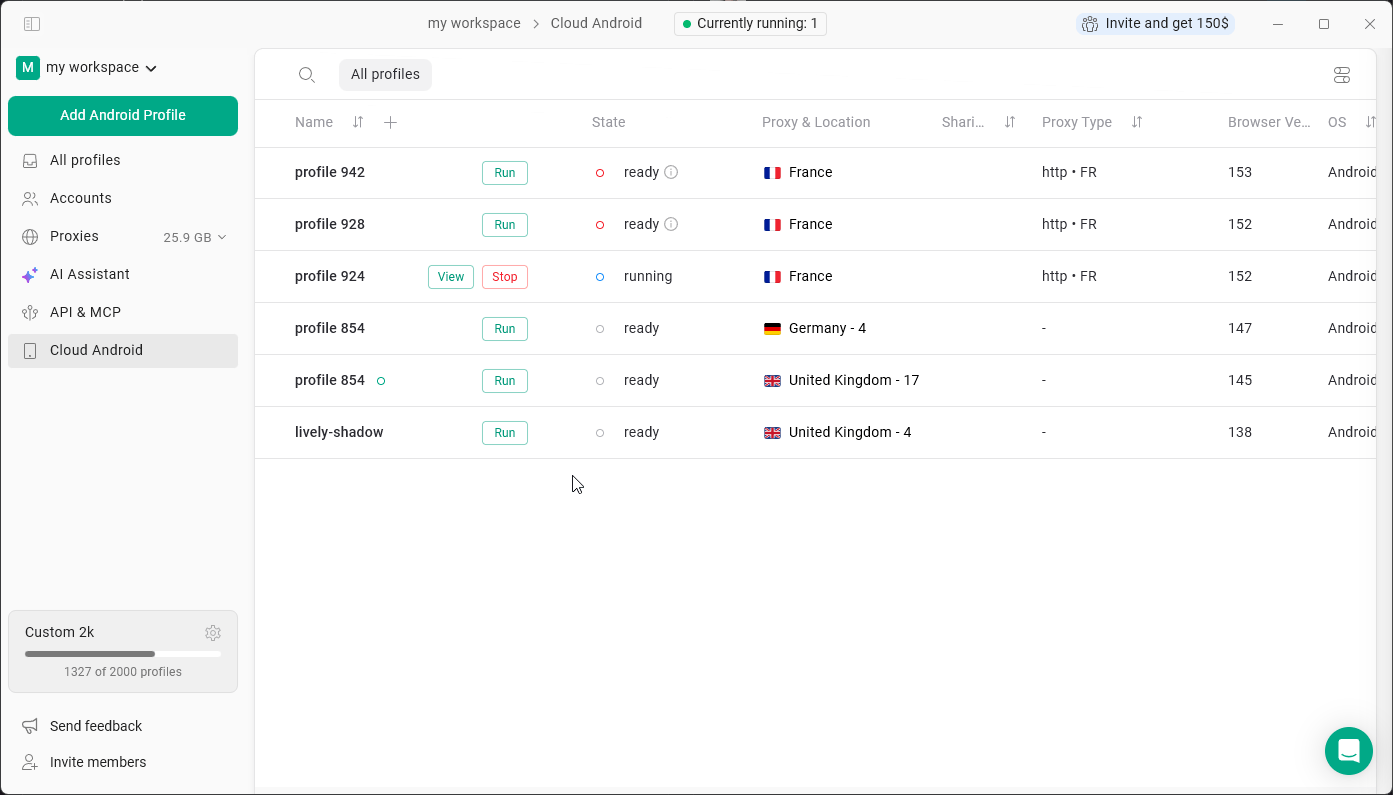
- Click Cloud Android in the left menu.
- Click Add Android Profile.
- Set up the proxies and other settings.
- Click Run on the profile. Starting a phone can take up to 2 minutes.
- When the profile is running, click View to open the phone window.
- To finish, click Stop.
Working with the phone
The phone window has the standard Android buttons plus tools on the right side - for example, screenshots, uploading and downloading files, rotating the screen, volume, location and power. Install apps through the app stores on the phone, such as Aurora Store, F-Droid or Uptodown. Apps, logins and other data stay inside the profile between launches.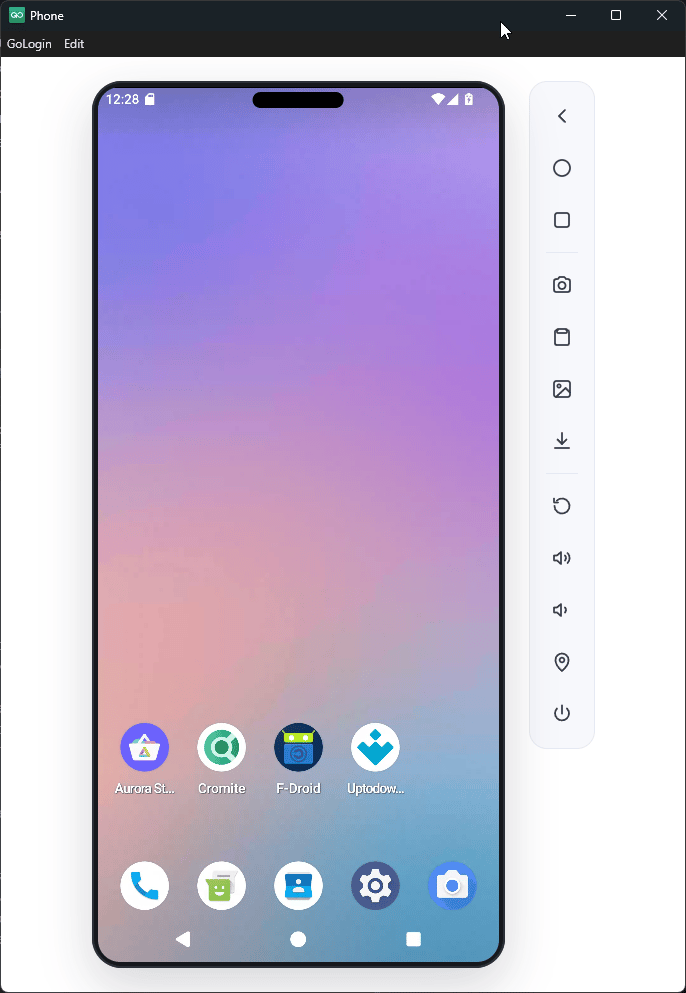
Not every Android app works in Cloud Android. If an app doesn’t open, try its website in the browser instead.