

How to restore your profiles
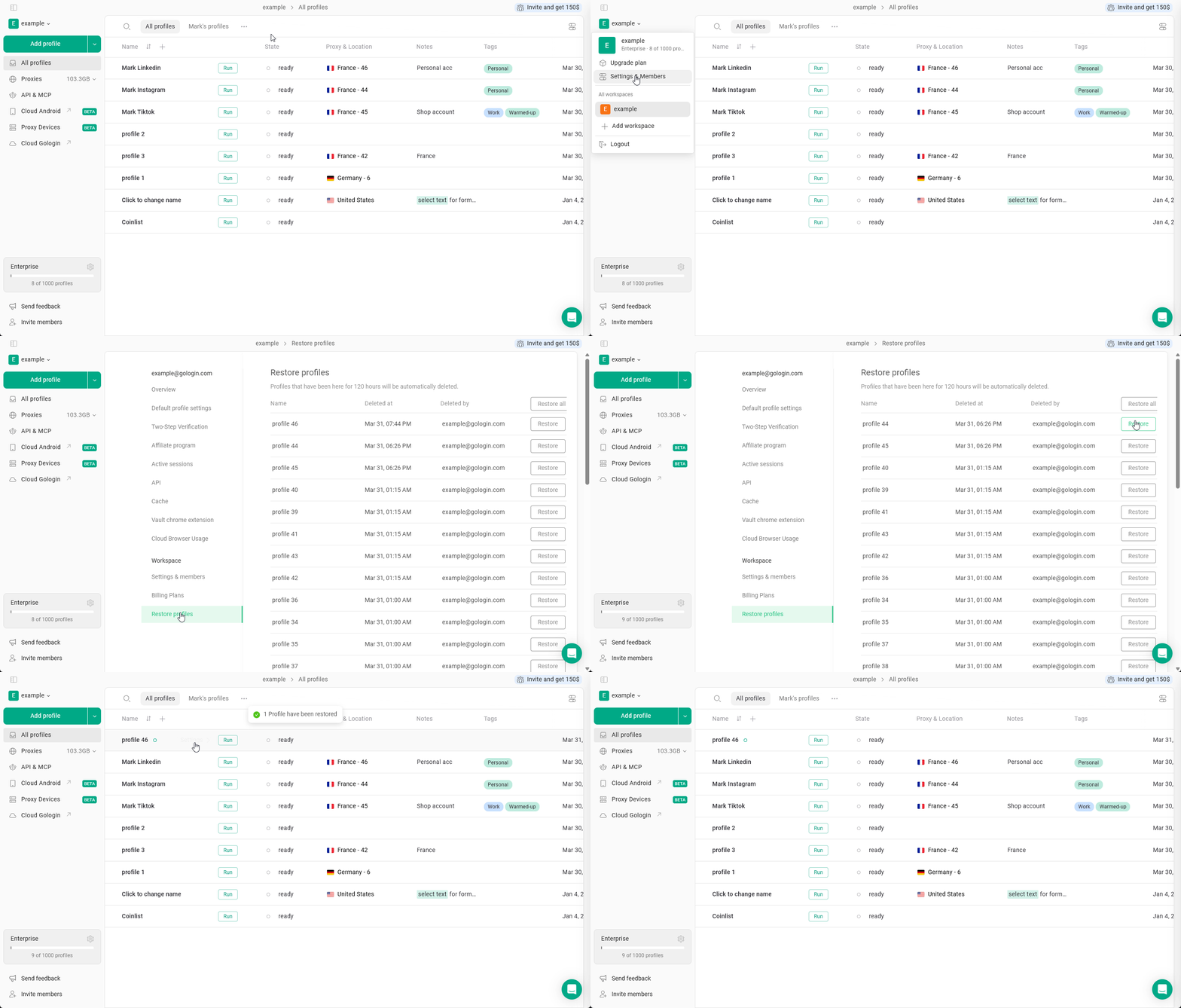
- Click on your workspace name in the top-left corner
- Navigate to Settings & Members
- Go to the Restore profiles tab
- Look for the profiles that needs recovering and click Restore
Profiles deleted more than 120 hours ago cannot be restored. If you can’t find the lost profiles, try looking for them by the profile name using the search feature or contact support for assistance.