

- You want to upgrade your current subscription tier
- You need to add a Team members feature to your plan or add more team member slots
- You have an idea of how much Gologin proxy traffic you spend every month and want it to be added automatically
Upgrading subscription plan tier
You can only upgrade from one annual subscription to another annual, not monthly.
- The cost of your current plan and the days spent are taken into account as Proration discount
- Your new renewal date becomes the date of the upgrade
- Open the pricing page
- On the main All profiles page, just click the cog icon next to the plan info > click Change plan.
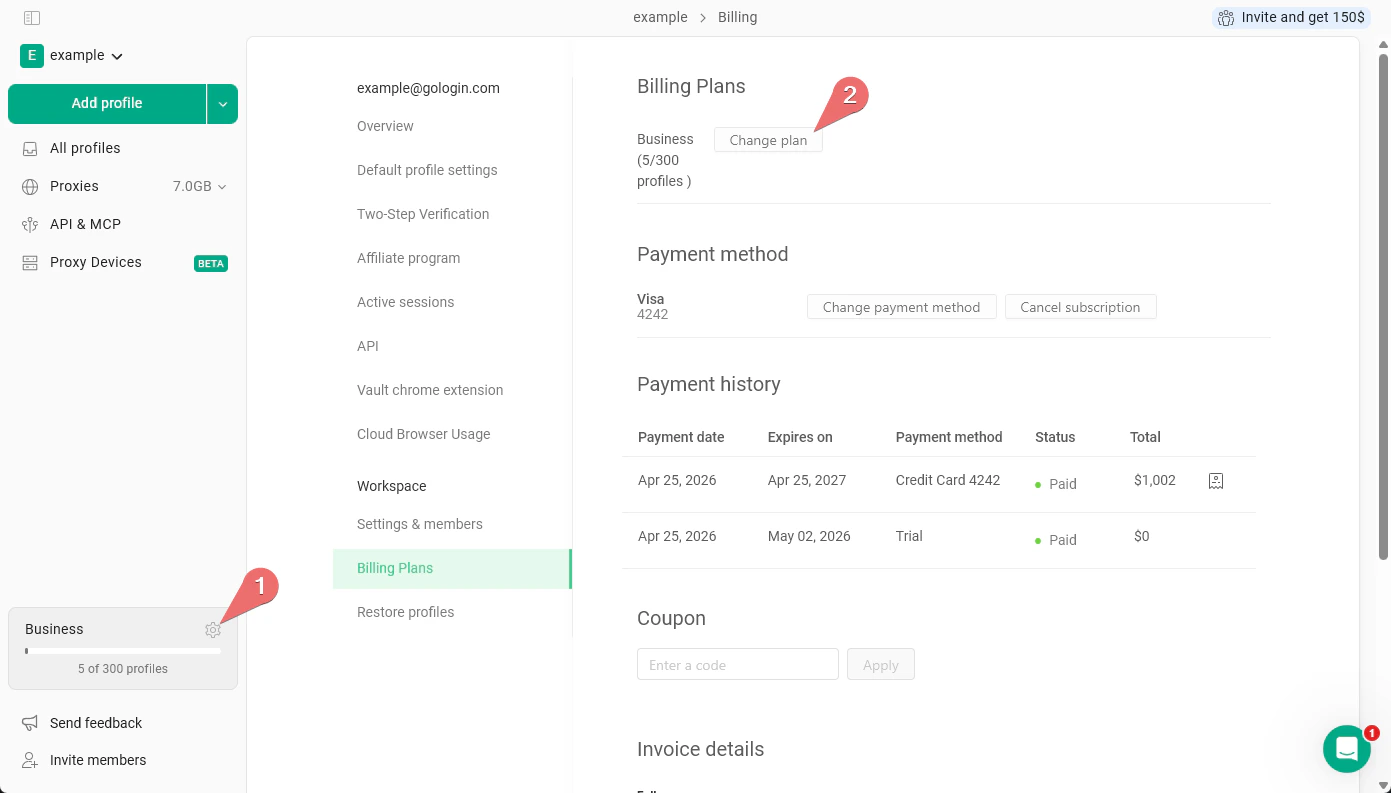
- On the main All profiles page, just click the cog icon next to the plan info > click Change plan.
- Choose the new plan
- Specify the team member and proxy traffic numbers and click Upgrade plan on your chosen subscription option.
- Pick the payment method and proceed to checkout by clicking Pay now.
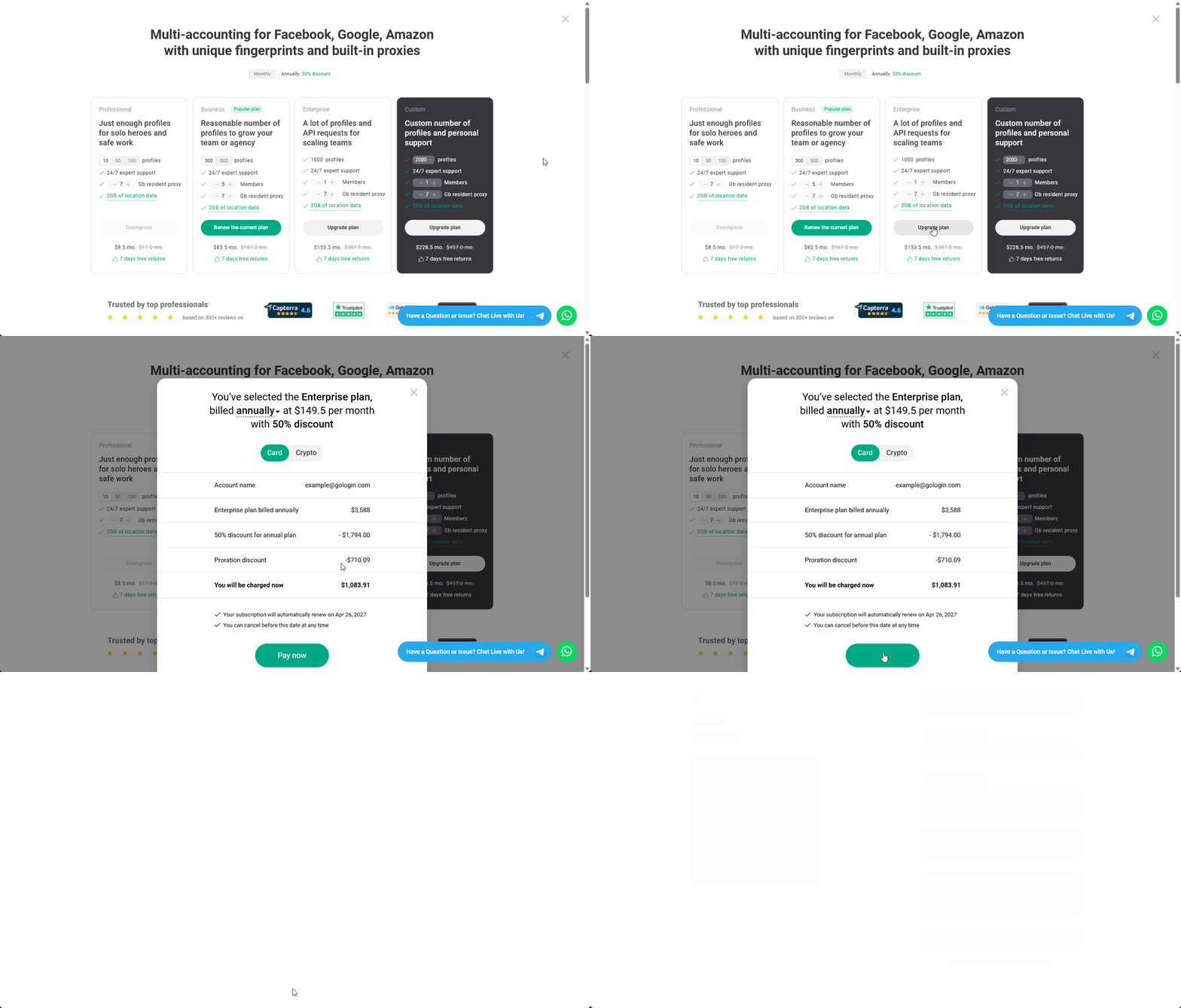
- Complete checkout and start using Gologin
After the checkout process is completed, your subscription plan will get upgraded shortly.
Adding team members and proxy traffic to your current plan
How it works:- the spent days of your subscription is taken into the account as Proration discount
- Your renewal date is unchanged
- Open the pricing page
- On the main All profiles page, just click the cog icon next to the plan info > click Change plan.
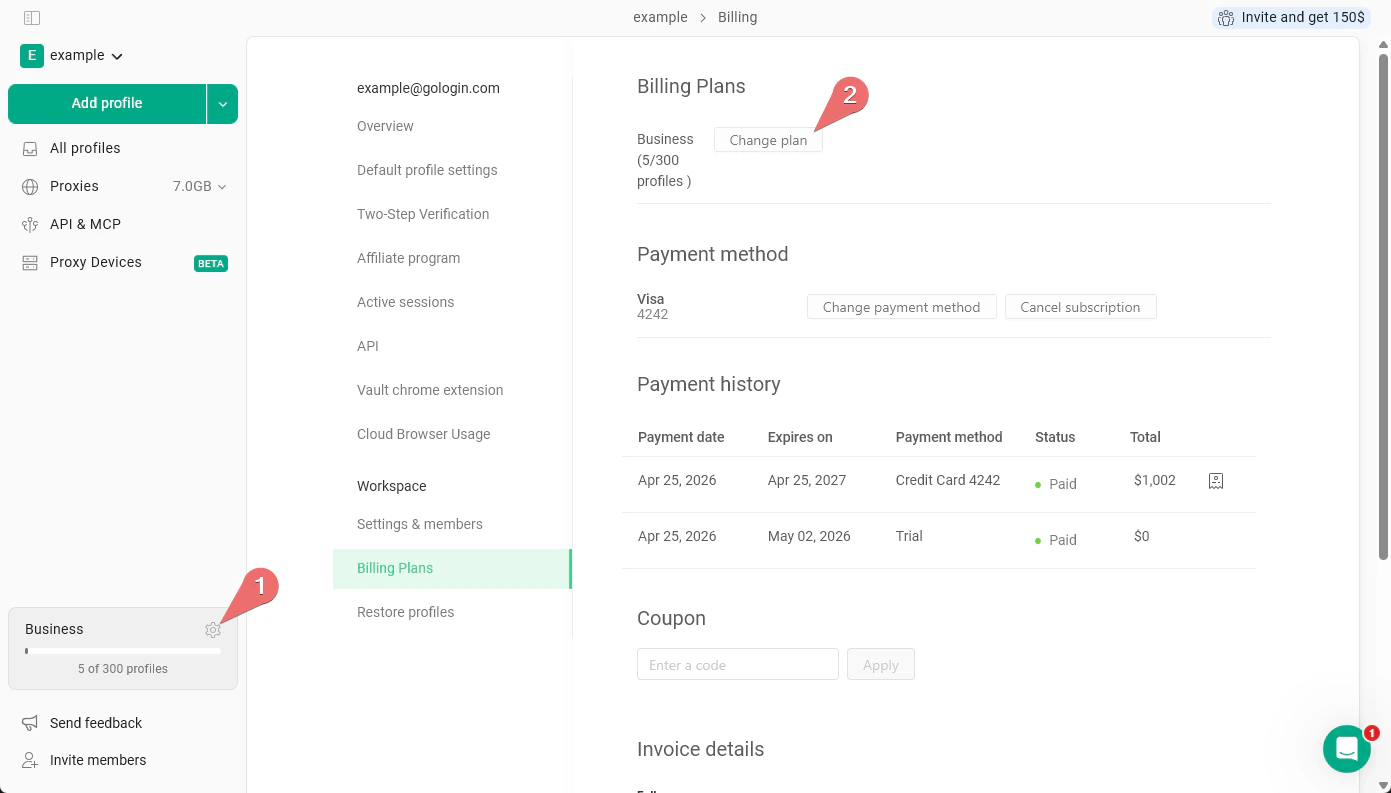
- On the main All profiles page, just click the cog icon next to the plan info > click Change plan.
- Specify the new add-ons
- Verify your current plan, it should have the Renew the current plan button.
- Start adding more team member slots or add the proxy traffic.
- Pick the payment method and proceed to checkout by clicking Pay now.
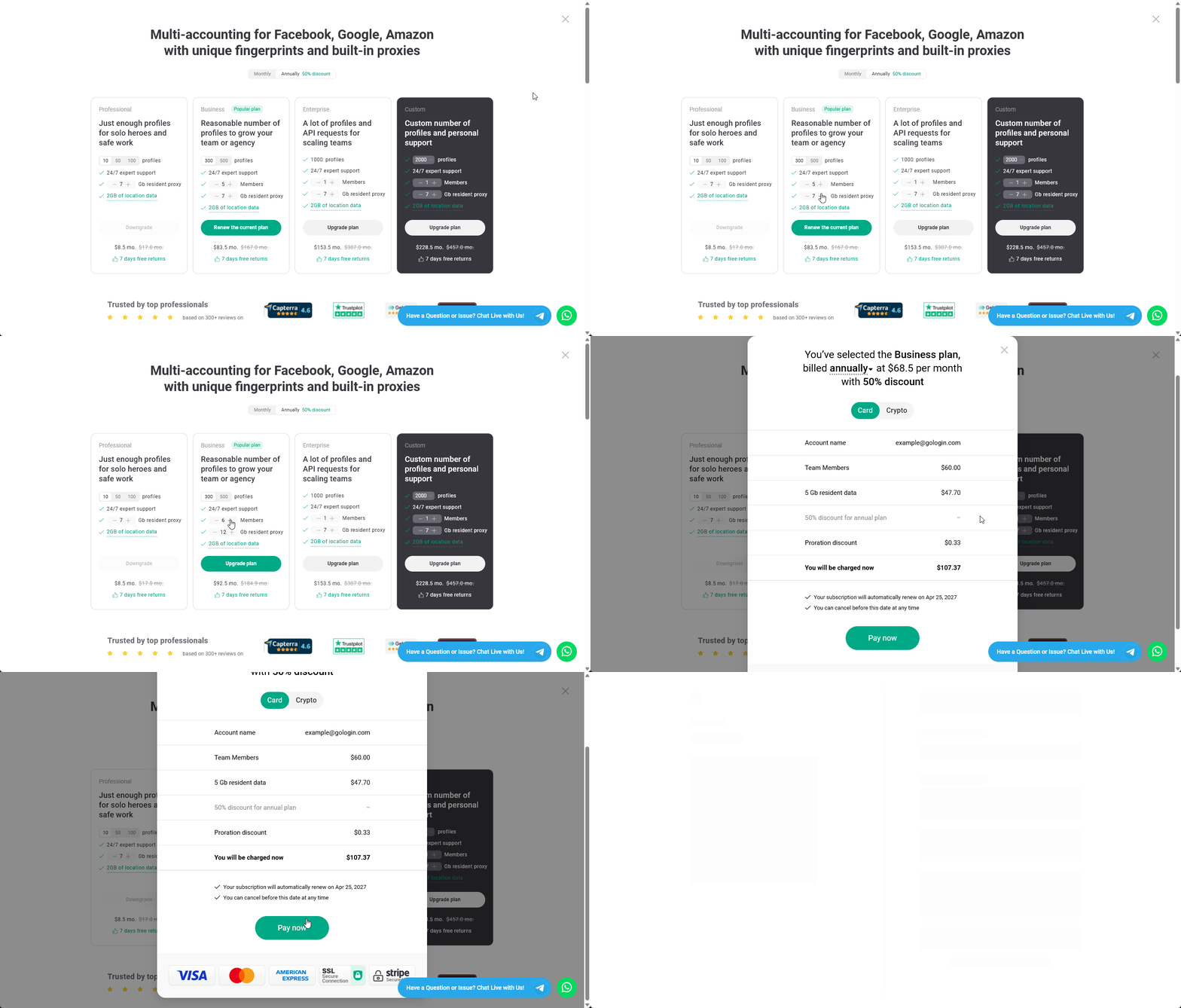
- Complete checkout and start using Gologin
After the checkout process is completed, your subscription plan will get updated shortly.