
Documentation Index

Fetch the complete documentation index at: https://gologin.com/docs/llms.txt

Use this file to discover all available pages before exploring further.

All the shared profiles will appear in your default workspace. To access them, just login into your Gologin account. All the profiles that has been shared to you are available on the All profiles page, marked with the human icon next to the profile name. You can examine your permissions by clicking 3 dots on the profile > Share
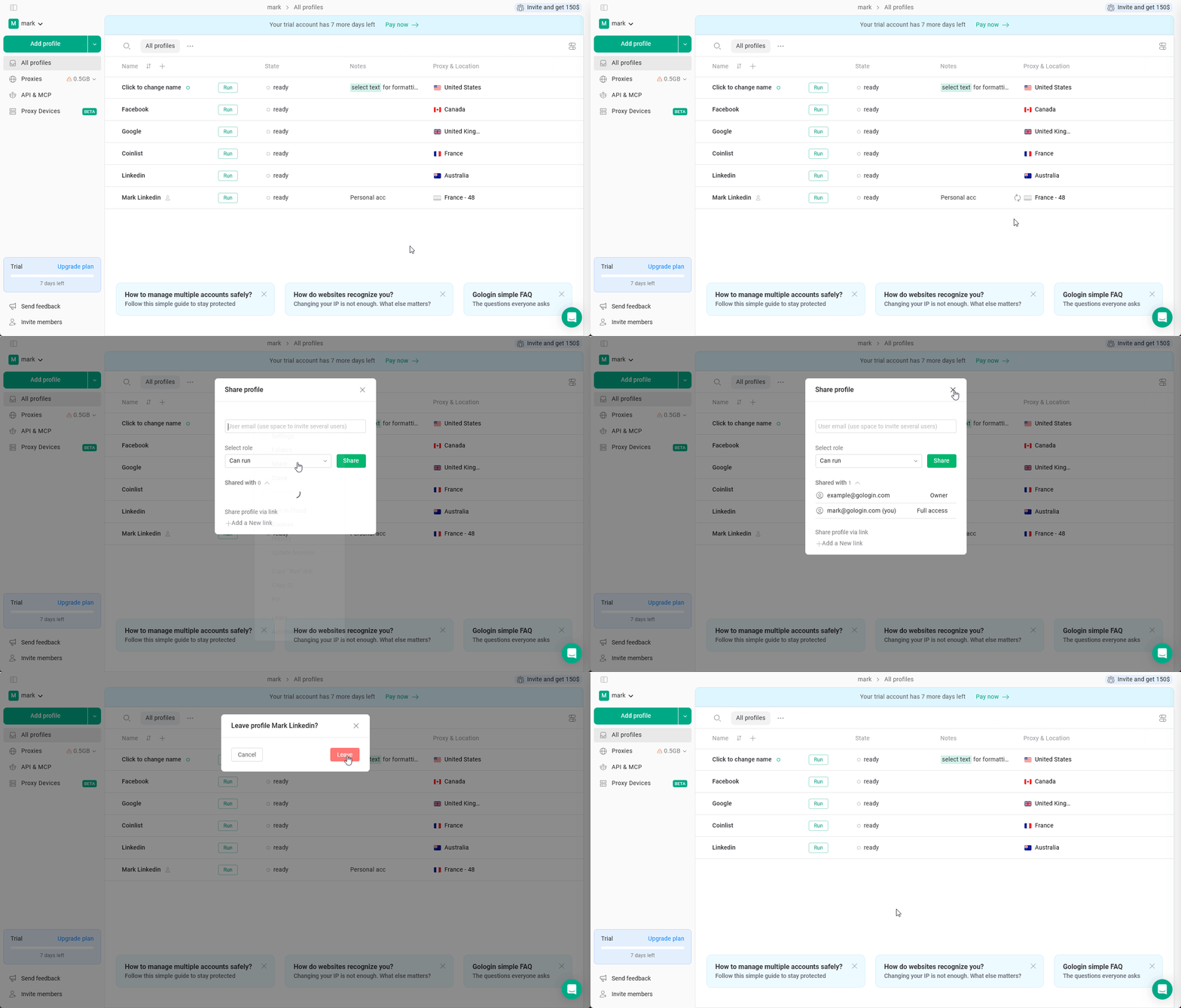
Accessing Shared Profile
You can also leave the shared profile if you’re done working with it by clicking 3 dots on the profile > Leave.