Subscription and workspaces
When you purchase a subscription, it actually gets tied to your workspace. In case you need to add teammates to your working group, it’s best to use folder or workspace access, than a separate workspace in some cases. Should you need more than a single workspace, each new workspace requires its own separate subscription. Several workspaces are best to use if you have separate teams.You can only have one workspace on the Forever Free plan
How to create more workspaces
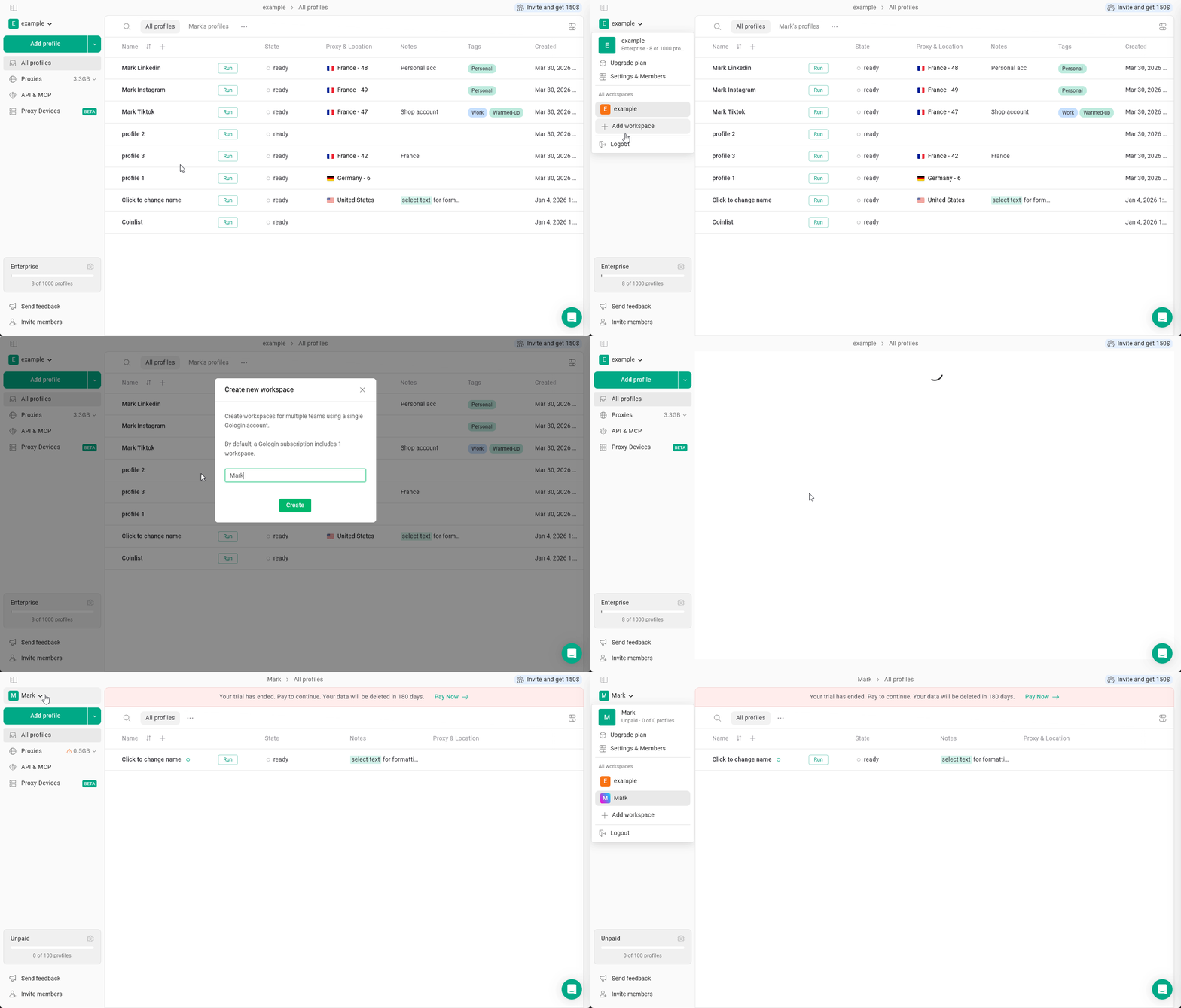
If you manage multiple teams and a single Workspace doesn’t meet your needs, you can create a new one. Keep in mind that each Workspace requires a separate subscription. To add a second workspace:- Click on your workspace name in the top-left corner
- Hit Add workspace
- Type a name for your new workspace and click Create
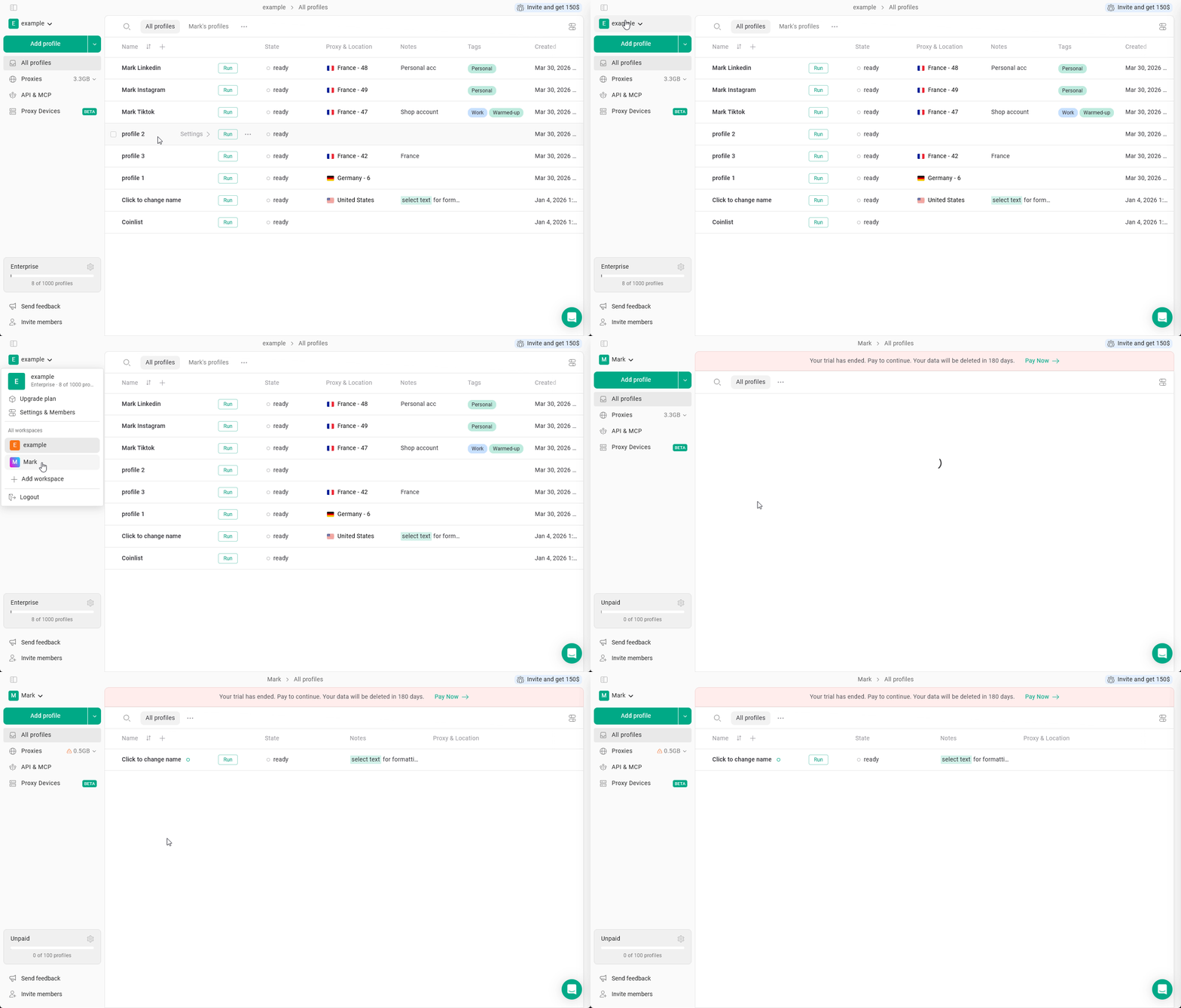
Switching between workspaces
To switch between available workspaces, just click the current workspace name and choose the workspace from the list.